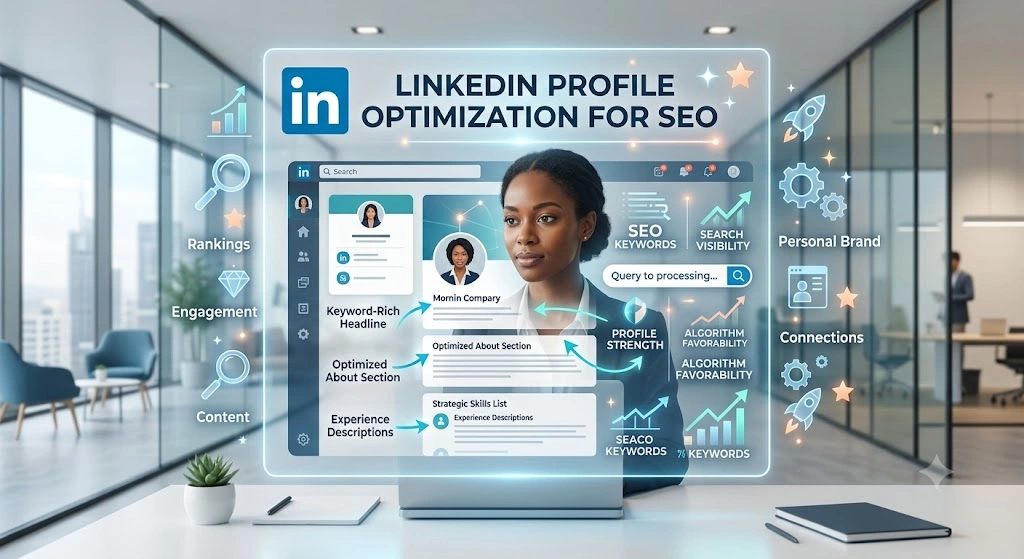
Have you ever wondered why some professionals get flooded with high-paying inbound leads, recruiter messages, and partnership opportunities on LinkedIn, while others hear nothing but crickets? It usually boils down to one critical factor that most people completely ignore.
The secret isn’t just about posting every single day or blindly connecting with thousands of random people. It is about treating your profile like a high-converting landing page. More specifically, it’s about mastering LinkedIn profile optimization for SEO.
Think about it. LinkedIn is not just a social networking site anymore; it has evolved into a massive search engine. With nearly a billion users globally, recruiters, founders, and potential clients are using the platform’s search bar every single second to find specific skills, services, and experts. If you aren’t showing up at the top of those internal search results—or on Google’s first page when someone searches your name or profession—you are leaving serious money and opportunities on the table.
Today, we are going completely under the hood. No surface-level fluff. We are going to break down the exact framework required to make your profile a magnet for your target audience. By the time you finish this guide, you will know exactly how to implement the three best smart tactics for LinkedIn profile optimization for SEO to skyrocket your visibility, build untouchable authority, and attract the right people on autopilot.
Why You Need to Care About LinkedIn SEO Right Now
Before we jump into the tactics, let’s set the stage. Why is this so crucial right now?
When someone searches for a “B2B SaaS Copywriter” or a “Fractional CMO” on LinkedIn, the algorithm doesn’t just pick profiles randomly. It looks at specific data points to decide who ranks number one and who gets buried on page 50. This algorithm relies heavily on keyword placement, profile completeness, and user engagement.
When you apply dedicated LinkedIn profile optimization for SEO, you are essentially speaking the algorithm’s language. You are telling LinkedIn exactly who you are, what problems you solve, and who you solve them for.
Furthermore, Google indexes LinkedIn profiles. If your profile is properly optimized, someone searching for your exact services on Google might end up clicking directly onto your LinkedIn page. That is a massive win for your personal brand.
Let’s dive into the first major tactic that will lay the foundation for your massive growth.
Tactic 1: The Keyword-Driven Top Fold Architecture
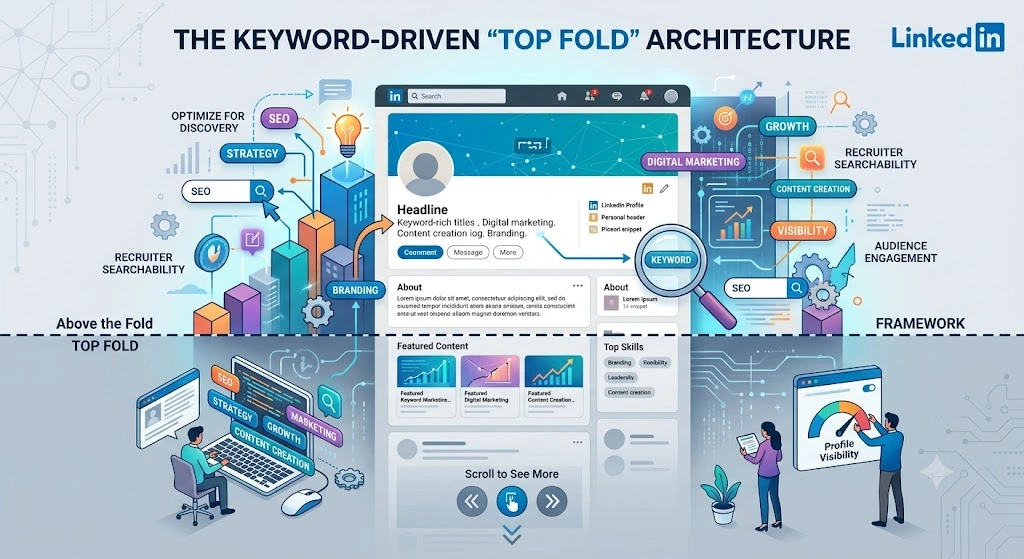
In the world of web design, the “top fold” refers to everything a user sees before they have to scroll down. On LinkedIn, your top fold includes your Banner, Profile Picture, Name, Headline, and Location.
When it comes to LinkedIn profile optimization for SEO, your top fold is arguably the most critical real estate you own. If this section isn’t optimized perfectly, the search algorithm will pass right over you, and humans won’t bother scrolling down.
Step 1.1: Pinpointing Your Core Focus Keywords
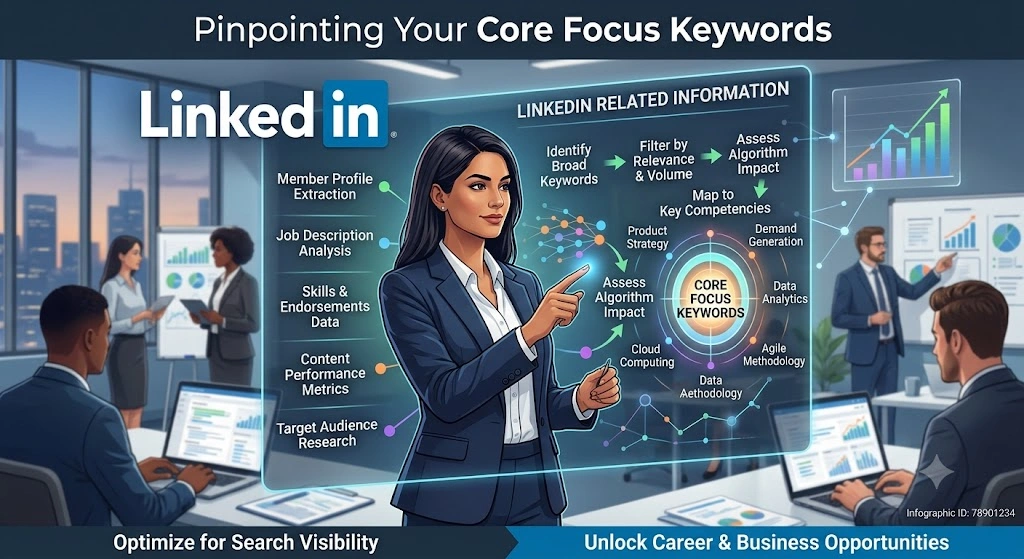
You cannot optimize a page if you don’t know what you are optimizing it for. Too many professionals try to be clever rather than clear. They use titles like “Chief Happiness Officer” or “Wizard of Words.”
While that might sound cute at a networking party, it is an absolute disaster for search engine optimization. Nobody types “Wizard of Words” into a search bar when they need to hire a freelance copywriter.
To kickstart your LinkedIn profile optimization for SEO journey, you need to conduct actual keyword research.
- Brainstorming: What exactly do your ideal clients or recruiters type into the search bar when looking for someone like you?
- Use the Search Bar: Start typing your industry into the LinkedIn search bar and look at the autocomplete suggestions. These are highly searched terms.
- Analyze Competitors: Find three to five people in your niche who are dominating the space. Look at the exact phrasing they use in their headlines and About sections.
Make a list of one primary keyword (e.g., “B2B SEO Consultant”) and three to four secondary or LSI keywords (e.g., “Organic Traffic,” “Content Strategy,” “Technical SEO”).
Step 1.2: Crafting a Search-Friendly, High-Converting Headline
Your headline is the heaviest ranking factor in LinkedIn’s search algorithm. If you want to see the real power of LinkedIn profile optimization for SEO, you must front-load your headline with your primary keywords.
However, writing for machines isn’t enough. It also needs to appeal to the human being who reads it. A pure keyword-stuffed headline looks spammy. You need a formula that balances algorithmic ranking with human psychology.
Here is the perfect formula to follow: [Primary Keyword / Job Title] | [Helping X achieve Y through Z] | [Social Proof / Credibility Marker]
Let’s look at a practical example.
- Bad Headline: Helping brands grow online | Marketing Enthusiast | Coffee Lover. (Zero SEO value, totally generic).
- SEO-Optimized Headline: B2B SEO Consultant | Helping SaaS Companies Scale Organic Traffic by 300% | Ex-Agency Director | Technical SEO & Content Strategy.
Notice how the optimized headline feeds the algorithm exactly what it wants (“B2B SEO Consultant”, “Technical SEO”) while immediately telling the human reader the exact value they bring to the table. This is the cornerstone of effective LinkedIn profile optimization for SEO.
Step 1.3: Customizing Your LinkedIn URL (The Quick SEO Win)
This is a step that takes exactly 30 seconds but gives you a massive advantage, especially for Google indexing.
When you create an account, LinkedIn assigns you an ugly, default URL that looks something like this: [linkedin.com/in/john-doe-893a4b127](https://linkedin.com/in/john-doe-893a4b127). That string of random numbers is useless for search engines.
A vital, yet often overlooked, part of LinkedIn profile optimization for SEO is cleaning up this URL. You want a clean, professional link that preferably includes your name and, if possible, your primary keyword.
How to fix it:
- Go to your profile.
- Click “Edit public profile & URL” on the right side.
- Click the pencil icon next to your URL.
- Change it to something clean like
[linkedin.com/in/johndoe-seo](https://linkedin.com/in/johndoe-seo)or[linkedin.com/in/johndoe](https://linkedin.com/in/johndoe).
This clean URL structure signals to Google that your page is relevant and authoritative for your name and profession.
Step 1.4: Injecting SEO into the ‘About’ Section (Without Sounding Like a Robot)
Once your headline grabs their attention, the ‘About’ section is where you close the deal. But from an SEO perspective, this section gives you 2,600 characters to naturally weave in your secondary keywords and related industry jargon.
The biggest mistake people make here is writing their summary like a boring third-person resume. “John is a dedicated professional with 10 years of experience…” Stop doing this immediately. It ruins reader retention, and search algorithms favor content that keeps users on the page (dwell time).
To master LinkedIn profile optimization for SEO in your summary, format it like a high-converting sales letter:
- The Hook: Start with a bold statement or a question that addresses your target audience’s biggest pain point.
- The Story/Context: Explain why you do what you do and how your experience uniquely positions you to solve their problems. Use your secondary keywords naturally here.
- The Solutions: Use bullet points to list your specific skills and services. Bullet points break up the text, making it highly readable for humans, while allowing you to easily list out LSI keywords for the search engine.
- The Call to Action (CTA): Tell them exactly what to do next. Do you want them to DM you? Book a call on your calendar? Visit your website? Be explicit.
By structuring your ‘About’ section this way, you ensure that your LinkedIn profile optimization for SEO efforts don’t just generate traffic, but actually convert that traffic into meaningful business relationships.
Tactic 2: Experience, Skills, and Entity-Based Keyword Mapping

Most people treat their LinkedIn profile like a digital filing cabinet for their old resumes. They list their job title, the company name, a generic description of their daily tasks, and leave it at that.
If you are doing this, you are missing out on a massive opportunity.
When you dive deeper into LinkedIn profile optimization for SEO, you begin to realize that the platform’s algorithm reads your profile much like Google reads a long-form blog post. The search engine spiders crawl through your experience, your listed skills, and even your recommendations to understand exactly what “entity” you represent. It connects the dots between your past experiences and your current offerings to decide how high you should rank.
Let’s break down exactly how to structure the core body of your profile so the algorithm has no choice but to push you to the top of the search results.
Step 2.1: Transforming the Experience Section into SEO Assets
The true magic of LinkedIn profile optimization for SEO happens right here in the Experience section. Every single role you list is an opportunity to inject secondary keywords, long-tail phrases, and semantic variations of your core focus keyword.
However, you must strike a delicate balance. If you just stuff a paragraph full of keywords, the human reading it will immediately bounce. Remember, search engines might bring the traffic, but human beings sign the checks.
Implementing LinkedIn profile optimization for SEO means treating past roles like individual landing pages. Here is a highly effective, reader-friendly format to use for your current and past roles:
- The 1-Sentence Hook: Start with a brief overview of what the company does and your specific impact.
- Key Achievements (Not Duties): Nobody cares that you “managed email campaigns.” They care that you “increased email open rates by 42% resulting in $50k new pipeline revenue.” Use bullet points here. Bullet points increase readability, which keeps people on the page longer.
- The Keyword Roster: At the very bottom of each job experience description, add a section called “Core Competencies” or “Tech Stack & Skills.”
This is a hidden secret of LinkedIn profile optimization for SEO. By adding a simple list of skills at the bottom of the text description (e.g., Core Competencies: B2B SEO, Content Strategy, Keyword Research, Google Analytics 4, Link Building), you feed the algorithm exactly what it wants without ruining the human reading experience above it.
Step 2.2: Mastering the 50-Skill Ecosystem
LinkedIn allows you to add up to 50 skills to your profile. A surprising number of professionals only list five or ten.
To take your LinkedIn profile optimization for SEO to the next level, you must max out this section. Add all 50 skills. Why? Because every single skill you list acts as a localized keyword tag for your profile. When recruiters use LinkedIn Recruiter (the paid backend tool), they often filter candidates strictly by these skill tags.
But here is the catch: not all skills carry the same weight.
- Pin Your Top 3: LinkedIn allows you to pin three top skills so they are immediately visible. These should be your absolute most important, high-volume keywords. If you are an SEO expert, do not pin “Leadership” or “Microsoft Word.” Pin “Search Engine Optimization (SEO),” “Content Marketing,” and “Technical SEO.”
- Align with Your Headline: The skills you pin should directly reflect the keywords you used in your headline. This creates a semantic loop, which is a critical ranking factor in LinkedIn profile optimization for SEO. It confirms to the algorithm that you are highly relevant for those specific terms.
- Endorsements Matter: The algorithm doesn’t just look at what skills you claim to have; it looks at social proof. A skill with 99+ endorsements carries significantly more SEO weight than a skill with zero. Reach out to colleagues, past clients, and industry peers to endorse your top pinned skills.
Step 2.3: Leveraging Recommendations as User-Generated SEO
Most users view LinkedIn recommendations purely as a trust-building tool. While they are incredibly powerful for establishing credibility, they are also a fundamental pillar of LinkedIn profile optimization for SEO.
Think of recommendations like customer reviews on a local Google Business Profile. Google scans those reviews for keywords to understand what the business does. LinkedIn does the exact same thing with your recommendations.
When a client writes, “Working with John was great,” it helps build some basic trust. But it does absolutely nothing for your search rankings.
If you want to maximize this, you need to guide the people writing your recommendations. When you request a recommendation, politely provide a rough template or ask them to mention specific projects.
For example, ask them to write something like: “John’s expertise in B2B content strategy and technical SEO audits completely transformed our organic traffic.”
By having other high-authority profiles naturally insert your target keywords into their recommendations, you create powerful “backlinks” within the LinkedIn ecosystem. If you ignore this, your LinkedIn profile optimization for SEO efforts will eventually stall against competitors who are utilizing it.
Step 2.4: Increasing Dwell Time with Rich Media
In the SEO world, “Dwell Time” is the amount of time a user spends on a page before clicking away. Both Google and LinkedIn use this as a major engagement metric. If people land on your profile and stay there for three minutes, the algorithm assumes your profile is highly relevant and valuable. If they leave after three seconds, your rankings will tank.
Keeping people on your page longer is exactly what LinkedIn profile optimization for SEO is all about.
How do you force people to stay longer? You give them something to look at besides text.
Under your ‘Featured’ section, and under individual job experiences, you can upload rich media. This includes:
- High-quality PDF carousels or portfolios.
- Links to your published articles, YouTube videos, or podcast interviews.
- Case study documents showcasing your past work.
When a visitor clicks through a 10-slide PDF case study on your profile, they are actively increasing your dwell time. Through effective LinkedIn profile optimization for SEO, your profile becomes an interactive portfolio rather than a static resume.
It tells the algorithm that your profile is an engaging destination. And search engines love to reward engaging destinations.
At this point, we have optimized the top fold to attract clicks, and we have structured the deep architecture of your profile to rank highly for specific search queries. But mastering LinkedIn profile optimization for SEO requires a holistic approach. You can have a perfectly optimized profile, but if it sits dormant, it will eventually lose its ranking to more active users.
This brings us to the next phase of LinkedIn profile optimization for SEO: the dynamic activity and content engine that acts as the fuel for your optimized profile.
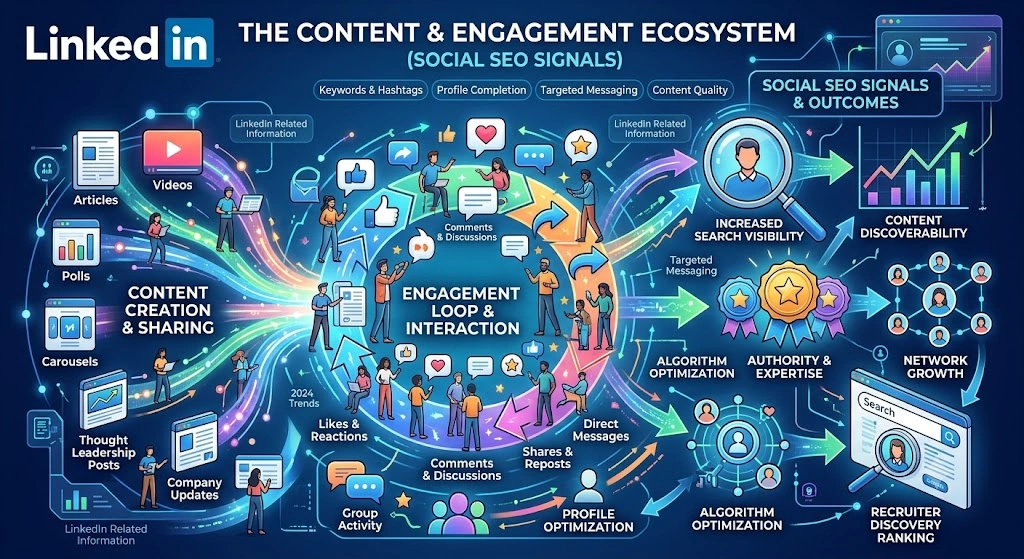
Tactic 3: The Content & Engagement Ecosystem (Social SEO Signals)
Many professionals believe that once they rewrite their headline, update their ‘About’ section, and add a few skills, their work is done. They sit back and wait for the inbound leads to pour in.
Unfortunately, that is not how modern search algorithms operate.
A static profile, no matter how beautifully written, will eventually decay in the search rankings. The final, and arguably most dynamic piece of LinkedIn profile optimization for SEO, is generating continuous algorithmic freshness. You have to prove to LinkedIn that you are an active, contributing member of the community.
Think of your profile optimization as the engine of a car. It has massive potential, but it won’t go anywhere without fuel. On LinkedIn, your content and outbound engagement are the fuel that powers your SEO rankings.
Step 3.1: Activating Creator Mode and Hashtag Optimization
If you haven’t turned on “Creator Mode” yet, you are missing out on a massive organic reach advantage.
When you toggle Creator Mode on, the platform fundamentally changes the layout of your profile. It moves your ‘Featured’ and ‘Activity’ sections higher up, pushing your content right to the forefront. But more importantly for LinkedIn profile optimization for SEO, Creator Mode allows you to display up to five specific hashtags right beneath your headline.
These hashtags act as broad category keywords. If your primary goal is to attract digital marketing clients, your creator hashtags should look something like this: #SEO, #ContentStrategy, #B2BMarketing, #OrganicGrowth, #Copywriting.
By displaying these tags, you give the algorithm another definitive signal about your niche. It tells the search engine, “This person doesn’t just work in this industry; they actively talk about it.” This subtle shift heavily impacts how your LinkedIn profile optimization for SEO performs in broader content searches.
Step 3.2: Publishing LinkedIn Articles for Google Indexing
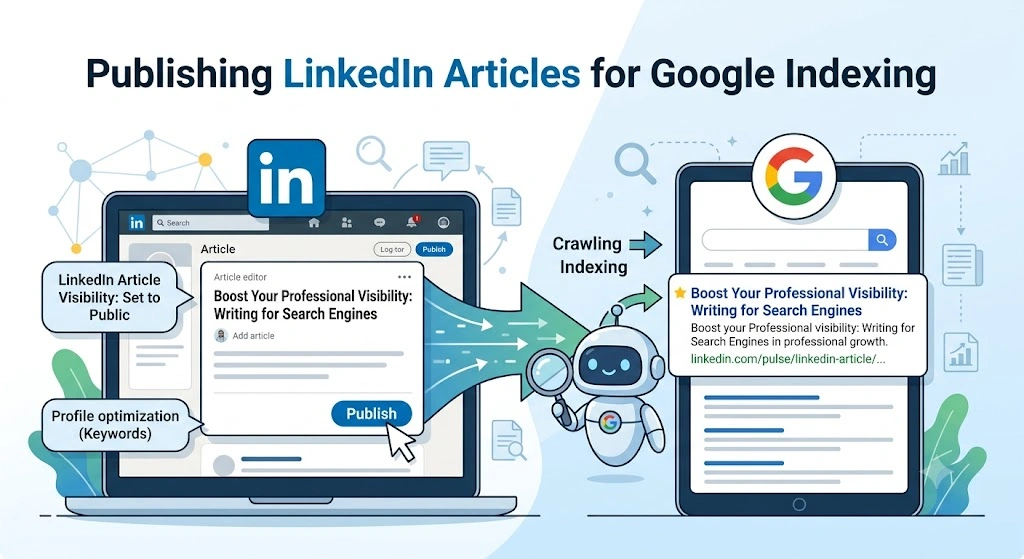
This is a tactic that separates the amateurs from the absolute pros. Most people just write short-form text posts on LinkedIn. While standard posts are great for feed visibility, they have a very short lifespan. After 48 hours, a standard post is essentially dead.
LinkedIn Articles, however, are completely different.
LinkedIn Articles are long-form blog posts native to the platform. Because LinkedIn has an extraordinarily high Domain Authority (DA) in Google’s eyes, articles published here can actually rank on the first page of Google search results very quickly.
If you want to master LinkedIn profile optimization for SEO, you need to treat LinkedIn Articles like guest posting on a high-authority website.
- Target Long-Tail Keywords: Write articles based on specific queries your clients have. (e.g., “How to Improve SaaS Organic Traffic in 2026”).
- Optimize the Article SEO: Just like a WordPress blog, use H2 and H3 tags within your LinkedIn Article. Add alt-text to your images.
- Link Back to Your Profile: Inside the article, naturally link back to your own website and reference your core services.
When someone searches for a topic on Google, finds your LinkedIn Article, and clicks through to your profile, you generate external traffic. LinkedIn’s algorithm heavily rewards profiles that bring external traffic to the platform. This external validation is a powerhouse strategy for LinkedIn profile optimization for SEO.
Step 3.3: Strategic Commenting (The “Profile View” Generator)
SEO isn’t just about passive search; it is also about active visibility.
When you leave a highly insightful, valuable comment on a viral post from an industry leader, your headline (which we optimized in Tactic 1) is displayed right next to your name. Hundreds, sometimes thousands, of people will read that comment. If your headline is compelling, a percentage of those people will click on your face to view your profile.
This creates a massive spike in your “Profile Views” metric.
Why does this matter? Because profile views are a massive behavioral ranking factor. If the algorithm sees that your profile is constantly being visited by other professionals, it assumes your profile is highly relevant and authoritative. As a result, your LinkedIn profile optimization for SEO efforts are amplified, and you get pushed higher in the standard search results.
Don’t just say “Great post!” Add a unique perspective, share a quick data point, or ask a thoughtful follow-up question. High-quality commenting is the fastest way to drive targeted traffic to an optimized profile.
Step 3.4: Maintaining Algorithmic Freshness
Search engines hate stale data. If you haven’t updated your profile or posted anything in six months, you will lose your top-ranking spots to someone who is active today.
Consistent activity tells the algorithm that your data is current. You don’t need to post five times a day, but you do need a sustainable rhythm.
To keep your LinkedIn profile optimization for SEO fully activated, try to follow a simple weekly checklist:
- Publish 2-3 short-form text or image posts natively on your feed.
- Leave 5-10 meaningful comments on industry peers’ posts every single day.
- Connect with 10 new people in your target audience every week.
- Update a minor detail on your profile (like tweaking a bullet point or adding a new featured media link) once a month to trigger an “update” crawl.
By maintaining this baseline of activity, you ensure that your foundation remains rock solid and highly visible.
Conclusion: Stop Waiting and Start Optimizing
The days of treating LinkedIn like a passive digital resume are completely over. It is a search engine, a networking event, and a landing page all rolled into one.
When you implement proper LinkedIn profile optimization for SEO, you stop chasing leads and start attracting them. By restructuring your top-fold architecture, you ensure that you capture attention immediately. By building out a deep, keyword-rich experience and skills section, you guarantee that you rank for the exact services you offer. And finally, by leveraging content and engagement, you pour gasoline on the fire, driving continuous traffic and authority to your personal brand.
It takes a few hours to set this up correctly, but the ROI of effective LinkedIn profile optimization for SEO can last for years.
Don’t leave your personal brand up to chance. Audit your profile today, pinpoint your core keywords, and start making these changes immediately. The algorithm is waiting to reward you.
Frequently Asked Questions (FAQs)
1. How long does it take to see results from LinkedIn profile optimization for SEO?
Unlike traditional Google SEO which can take months, LinkedIn’s internal search algorithm updates very quickly. Once you optimize your headline, about section, and skills, you can start seeing an increase in profile views and appearance in search results within a matter of days or a couple of weeks.
2. Do I need LinkedIn Premium for this to work?
No. Proper LinkedIn profile optimization for SEO works entirely on the free version of the platform. While Premium offers deeper analytics and more InMail credits, the core search algorithm treats free and premium profiles equally when it comes to keyword relevance and organic ranking.
3. Is keyword stuffing dangerous on LinkedIn?
Yes. Just like Google, LinkedIn’s algorithm is smart enough to detect unnatural keyword stuffing. If you just paste “B2B SEO” fifty times in your summary, it will harm your readability and could get your profile flagged. Always weave your keywords naturally into conversational, human-first sentences.
4. Should I optimize my profile for Google or for LinkedIn’s internal search?
You should aim for both, but focus primarily on LinkedIn’s internal search. Most of your high-quality B2B leads will come from people using the search bar natively inside the LinkedIn app. The good news is that standard LinkedIn profile optimization for SEO naturally satisfies Google’s indexing requirements as well.
5. How often should I update my profile keywords?
You should review your profile analytics every quarter. Look at the “Search appearances” dashboard to see what keywords people are using to find you. If you are ranking for irrelevant terms, tweak your headline and experience sections. Continuous refinement is the key to maintaining top rankings.